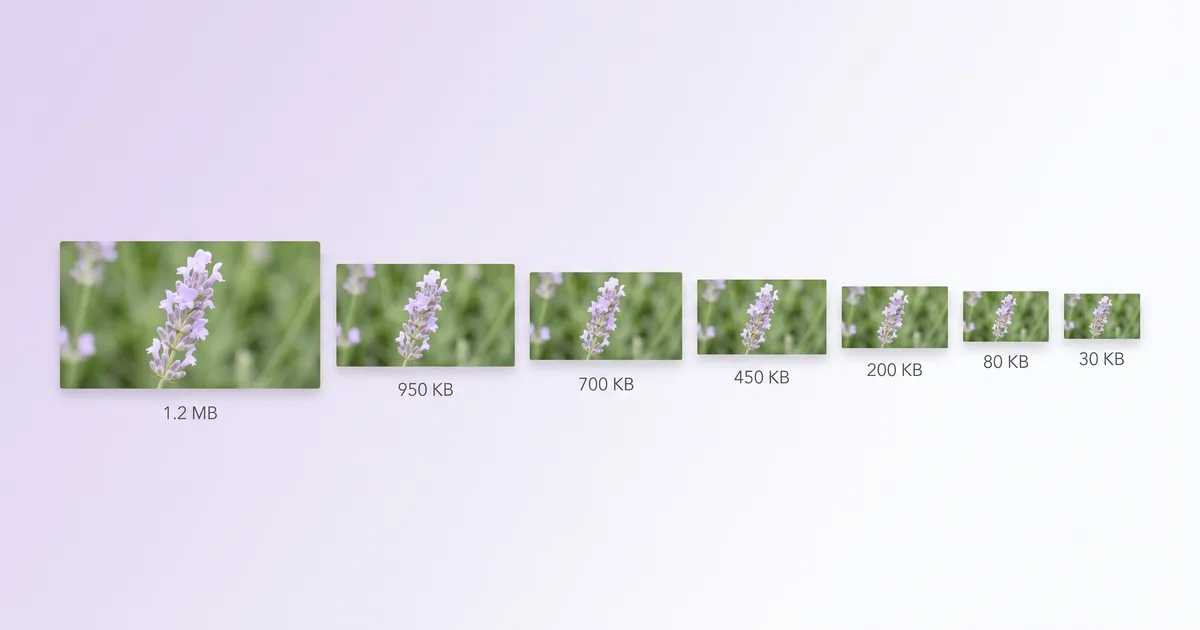
Image compression is a solved problem in theory — every tool makes files smaller. The real differences are in limits, privacy, control, and whether the tool actually lets you use it for free. We tested seven popular compressors to find out.
All tools tested and pricing verified as of July 2026.
Quick Comparison Table
| Tool | Truly Free? | Local Processing | Batch | Quality Control | Target File Size | Formats |
|---|---|---|---|---|---|---|
| MediaShed | ✅ Unlimited | ✅ Browser | ✅ Yes | ✅ Slider + presets | ✅ Yes | PNG, JPG, WebP, AVIF, GIF |
| TinyPNG | ⚠️ 20/upload, 5 MB max | ❌ Server | ✅ 20 at once | ❌ Auto only | ❌ No | PNG, JPG, WebP, AVIF, JXL |
| Squoosh | ✅ Unlimited | ✅ Browser | ❌ Single only | ✅ Full codec control | ❌ No | PNG, JPG, WebP, AVIF, JXL |
| iLoveImg | ⚠️ With limits | ❌ Server | ✅ Yes | ❌ Auto only | ❌ No | JPG, PNG, GIF |
| ImageCompressor.com | ✅ Unlimited | ✅ Browser | ✅ Yes | ✅ Slider | ❌ No | JPG, PNG, WebP, GIF, SVG |
| CompressImage.io | ✅ Unlimited | ✅ Browser | ✅ Yes | ✅ Slider | ❌ No | JPG, PNG, WebP |
| Adobe Express | ✅ Free with account | ❌ Server | ❌ Single | ✅ Slider | ❌ No | JPG, PNG, WebP, GIF, BMP |
1. MediaShed — Best for Target File Size and Presets
What it is: A browser-based compressor built on libvips (WebAssembly). Offers presets for common scenarios and a target file size mode.
What’s good:
- Presets for Web (<200 KB), Email (<1 MB), WhatsApp (<100 KB)
- Target file size mode — set 100 KB and the tool converges in 3-4 passes
- Aggression slider for manual quality control
- Automatic metadata stripping (EXIF, GPS, ICC profiles)
- Batch processing with no file count limit
- Side-by-side preview before download
- 100% browser-based — images never leave your device
What’s not:
- No API for automated workflows
- No WordPress plugin
- No JPEG XL support yet
- Requires ~8 MB initial engine download
Best for: Anyone who regularly compresses images for specific targets (web pages, email attachments, messaging apps) and wants unlimited private processing.
Try MediaShed Image Compressor
2. TinyPNG — Best API and Ecosystem
What it is: The most well-known image compressor, with a focus on automation through API, WordPress plugin, and CDN.
What’s good:
- Mature API with generous free tier (500 images/mo)
- WordPress plugin compresses on upload
- Figma plugin for design exports
- CDN service for on-the-fly optimization
- Supports JPEG XL alongside PNG, JPG, WebP, AVIF
What’s not:
- Free web tool limited to 20 images per upload, 5 MB each
- Server-side processing — images are uploaded and retained up to 48 hours
- No manual quality control on the web tool
- Paid plans for heavier web usage
Best for: Developers building automated pipelines. WordPress site owners. Teams needing CDN-based image optimization.
3. Squoosh — Best for Codec Experimentation
What it is: A Google Chrome Labs project that lets you compare compression codecs side by side.
What’s good:
- Fine-grained control over every codec parameter
- Split-view comparison (original vs compressed)
- MozJPEG, OxiPNG, WebP, AVIF, JPEG XL codec options
- Built-in resize
- 100% browser-based, open source
What’s not:
- Single image only — no batch processing
- No presets or target file size
- Requires codec knowledge to use effectively
- Minimal UI (by design)
Best for: Developers and designers who want to understand and control exactly how their images are compressed.
4. iLoveImg — Best All-in-One Web Image Tool
What it is: A suite of online image tools including compression, resize, crop, and format conversion.
What’s good:
- Multiple image tools in one interface
- Batch processing
- Simple, fast interface
- Integrations with Google Drive and Dropbox
What’s not:
- Server-side processing
- Free tier has usage limits (not clearly stated)
- Limited format support (JPG, PNG, GIF)
- No quality control — compression is automatic
- Ads on the free tier
Best for: Casual users who want a suite of image tools with cloud storage integration.
5. ImageCompressor.com — Best Simple Browser Compressor
What it is: A browser-based compressor that handles multiple images with a quality slider.
What’s good:
- 100% browser-based — files stay on your device
- Batch processing
- Quality slider for manual control
- Supports JPG, PNG, WebP, GIF, SVG
- No account required
What’s not:
- No presets or target file size
- Limited compression options (slider only)
- No AVIF support
- No side-by-side preview
Best for: Users who want a simple, private batch compressor without complexity.
6. CompressImage.io — Best for Speed
What it is: A fast, browser-based compressor focused on WebAssembly performance.
What’s good:
- Very fast processing using WebAssembly
- Browser-based with no uploads
- Quality slider
- Batch support
- Works offline
What’s not:
- Limited format support (JPG, PNG, WebP only)
- No presets or target file size
- Minimal interface with fewer options
- No animated format support
Best for: Users who want fast, private compression for common web formats.
7. Adobe Express — Best for Creative Workflows
What it is: Adobe’s free creative tool suite with image compression as one feature.
What’s good:
- Quality slider for manual control
- Part of a broader creative suite
- Supports multiple formats including BMP
- Clean, professional interface
What’s not:
- Requires an Adobe account
- Server-side processing
- Single image at a time
- Compression is one small feature in a large tool — overhead to get to it
Best for: Adobe ecosystem users who occasionally need to compress an image within their creative workflow.
How We Compared
We compressed the same 2.4 MB JPEG photo (3840x2160) with each tool at default settings and measured:
- Output file size — how small did it get?
- Visual quality — any visible artifacts?
- Processing time — how long did it take?
All browser-based tools performed comparably on quality. The main differences were in features, limits, and workflow.
Summary: Which Tool Should You Use?
| Your situation | Best tool |
|---|---|
| Need presets + target file size + privacy | MediaShed |
| Need API or WordPress integration | TinyPNG |
| Want codec-level control | Squoosh |
| Want an all-in-one image suite | iLoveImg |
| Want simple browser-based batch | ImageCompressor.com |
| Need raw speed, common formats | CompressImage.io |
| Already in Adobe’s ecosystem | Adobe Express |
Try MediaShed Image Compressor — presets, target file size, unlimited batch, no upload. Read our guide on how to compress images for web.