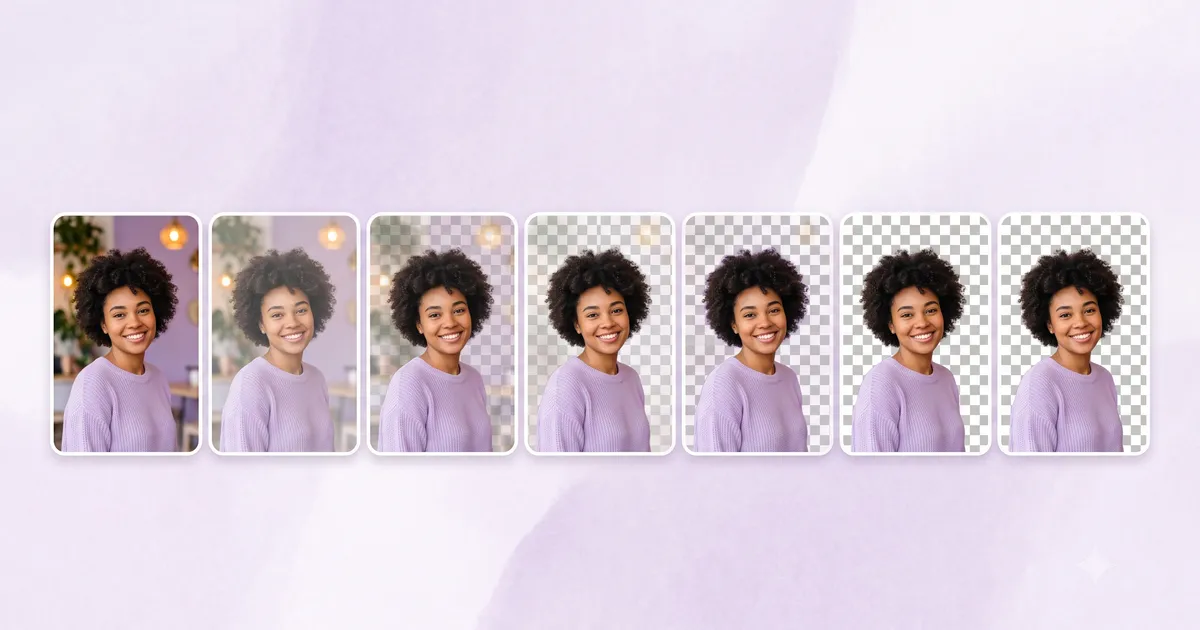
Looking for a background remover that actually works without charging you or demanding an account? We tested seven tools on the same set of images — product photos, portraits, and complex scenes — and compared quality, speed, limits, and privacy.
All tools tested and pricing verified as of July 2026.
Quick Comparison Table
| Tool | Truly Free? | Local Processing | No Watermark | No Account | Animated Support | HD Output |
|---|---|---|---|---|---|---|
| MediaShed | ✅ Unlimited | ✅ Browser only | ✅ Yes | ✅ Yes | ✅ GIF/WebP | ✅ Yes |
| remove.bg | ⚠️ 50/mo, low-res | ❌ Server | ⚠️ Paid only | ⚠️ For credits | ❌ No | ❌ Paid only |
| Photoroom | ⚠️ 250/mo, watermarked | ❌ Server | ⚠️ Paid only | ❌ Required | ❌ No | ❌ Paid only |
| Adobe Express | ✅ Free with account | ❌ Server | ✅ Yes | ❌ Required | ❌ No | ✅ Yes |
| Pixlr | ✅ Free | ❌ Server | ✅ Yes | ✅ Yes | ❌ No | ✅ Yes |
| Canva | ⚠️ Pro feature | ❌ Server | ✅ Yes | ❌ Required | ❌ No | ✅ Yes |
| BgEraser | ✅ Free | ❌ Server | ✅ Yes | ✅ Yes | ❌ No | ⚠️ Limited |
1. MediaShed — Best for Privacy and Unlimited Use
What it is: A browser-based background remover powered by ONNX Runtime and WebAssembly. Three AI models (Fast, Portrait, Best) handle different use cases.
What’s good:
- Genuinely unlimited — no credits, no daily cap, no file size limit
- Images never leave your device (100% browser processing)
- Three AI model choices: Fast (2-5 sec), Portrait (tuned for people), Best (highest quality)
- Supports animated GIFs and WebPs — processes each frame
- Works offline after first model download
- No watermark, no account
What’s not:
- No API for automated workflows
- Larger models (Portrait: 44 MB, Best: 176 MB) take time to download on first use
- Requires 1-3 GB RAM depending on model
- Quality depends on model choice — you need to pick the right one
Best for: Anyone who processes images manually and cares about privacy. Photographers, designers, e-commerce sellers who handle their own product photos.
Try MediaShed Background Remover
2. remove.bg — Best API and Integrations
What it is: The most established background removal service, processing images server-side with a highly refined AI model.
What’s good:
- Consistently excellent quality — one of the best models in the category
- Full API with Photoshop, Figma, and Canva plugins
- Handles complex edges (hair, glass, smoke) very well
- Fast processing (about 5 seconds)
What’s not:
- Free tier limited to 50 images/month at low resolution (0.25 MP)
- HD output requires paid plan ($8.10-$80.10/mo)
- Free tier adds watermark
- Images uploaded to servers
Best for: Developers needing API access. Teams with budget for HD output. Users who want plugin integration with design tools.
3. Adobe Express — Best for Adobe Users
What it is: Adobe’s free creative tool suite, which includes background removal as one of many features.
What’s good:
- Free background removal with full resolution output
- Part of a broader creative suite (templates, effects, resize)
- Reliable quality backed by Adobe’s AI
- No watermark on free tier
What’s not:
- Requires an Adobe account (free to create)
- Server-side processing
- Slower than dedicated tools — it’s a full creative suite, not a single-purpose tool
- Limited format support compared to dedicated tools
Best for: People already in Adobe’s ecosystem. Users who want background removal plus design tools in one place.
4. Photoroom — Best for E-Commerce Batch Processing
What it is: An AI photo editor focused on e-commerce product photography, with background removal as a core feature.
What’s good:
- Strong AI model, especially for product photos
- Batch processing (up to 50 images in Pro)
- Template system for marketplace listings (Amazon, eBay)
- Background replacement built in
What’s not:
- Free tier limited to 250 exports/month with watermark
- Pro starts at $7.99/mo
- Requires account
- Server-side processing
Best for: E-commerce sellers who need product photos at scale. Shopify and marketplace sellers.
5. Pixlr — Best Simple Free Option
What it is: A free online photo editor with AI background removal built in.
What’s good:
- Free to use without account
- Full resolution output
- Part of a broader photo editor (crop, adjust, filters)
- Fast and straightforward
What’s not:
- Ad-supported (banner ads around the editor)
- Server-side processing
- Less refined model than remove.bg or Photoroom for complex edges
- No batch processing
Best for: Quick one-off background removals where ads aren’t a dealbreaker.
6. Canva — Best if You Already Use Canva
What it is: Canva’s built-in BG Remover feature within their design platform.
What’s good:
- Integrated into Canva’s design workflow
- Good quality for most use cases
- One-click removal within existing designs
What’s not:
- Background removal is a Pro feature ($12.99/mo) in most cases
- Requires a Canva account
- Server-side processing
- Not a standalone tool — you use it within Canva’s editor
Best for: Existing Canva Pro subscribers who want background removal inside their design workflow.
7. BgEraser — Best for Simple Batch Jobs
What it is: A free online background eraser that handles batch uploads.
What’s good:
- Free batch processing
- No account required
- Simple drag-and-drop interface
- Handles basic subjects well
What’s not:
- Server-side processing
- Lower quality on complex edges compared to top-tier tools
- Limited output resolution on free tier
- Fewer format options
Best for: Quick batch jobs where quality doesn’t need to be perfect.
How We Compared
We tested each tool on three image types:
- Product photo — white mug on a cluttered desk
- Portrait — person with flyaway hair against a busy background
- Complex scene — glass bottle with reflections on a gradient surface
We evaluated edge quality, processing speed, and how each tool handles transparency in difficult areas.
Summary: Which Tool Should You Use?
| Your situation | Best tool |
|---|---|
| Need unlimited free use + privacy | MediaShed |
| Need an API or plugin integration | remove.bg |
| Already use Adobe tools | Adobe Express |
| E-commerce product photos at scale | Photoroom |
| Quick one-off removal | Pixlr |
| Already a Canva Pro subscriber | Canva |
| Simple batch jobs | BgEraser |
No single tool is best for everyone. The right choice depends on whether you prioritize privacy, automation, volume, or integration with other tools.
Try MediaShed Background Remover — unlimited, private, no signup. Learn more in our guide on how to remove a background from a photo.